How to Use the WhiskeyMate Knowledge Base
Browse helpful guides and tips to get the most out of WhiskeyMate
Overview
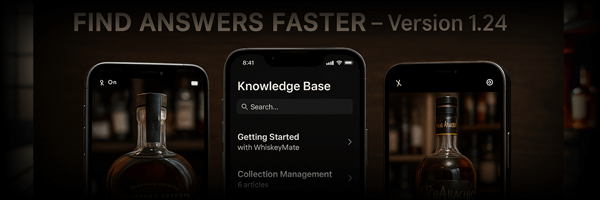
The WhiskeyMate Knowledge Base is an in-app (iOS/Android) and web (browser) library of help articles. Articles are stored in Firestore in the knowledge_articles collection and include formatted HTML content, tags/keywords, and counters (views + helpful votes).
Open the Knowledge Base
- iOS: Open Profile, then tap Help (in the Profile menu).
- Android: Open the app’s hamburger menu → Help & Info → Knowledge Base.
- Web: Open
whiskeymate.net/knowledge_articles.htmlin a browser.
Using the Knowledge Base on iOS
- Search: Use the search bar to match against an article’s title, subtitle, or search keywords.
- Sort: Switch between Newest, Priority, and Most Viewed.
- Open an article: Tap an article to view its featured image (if available), metadata (views/author/platforms), and the formatted HTML body.
- Vote Helpful / Not Helpful: You can rate an article; WhiskeyMate updates the article’s helpful counter accordingly.
Using the Knowledge Base on Android
- Search: Use the search bar to match against an article’s title, subtitle, or search keywords.
- Sort: Switch between Newest, Priority, and Most Viewed.
- Open an article: Tap an article to view its featured image (if available), metadata, and the formatted HTML body.
- Vote Helpful / Not Helpful: You can rate an article; WhiskeyMate updates the article’s helpful counter accordingly.
Using the Knowledge Base on the Web
- Browse by category: The left sidebar groups articles by category. Categories expand/collapse to show their articles.
- Search (sidebar): The sidebar search filters the article list by article title.
- Search (collapsed/mobile): When the sidebar is collapsed, the search field in the main content area finds matches using title, subtitle, and body text.
- Previous / Next: Use the page navigation buttons to step through articles in internalId order.
- Related Articles: If an article has
relatedArticles, the page shows a Related Articles section that lets you jump directly to those articles.
Troubleshooting
- No results? Try a shorter search term. On iOS/Android, search matches title/subtitle/keywords (not full body text).
- Content looks strange? Articles are rendered from HTML; some formatting depends on the platform’s in-app renderer.
- Counts not updating? View/helpful counters update via Firestore and may take a moment to reflect everywhere.